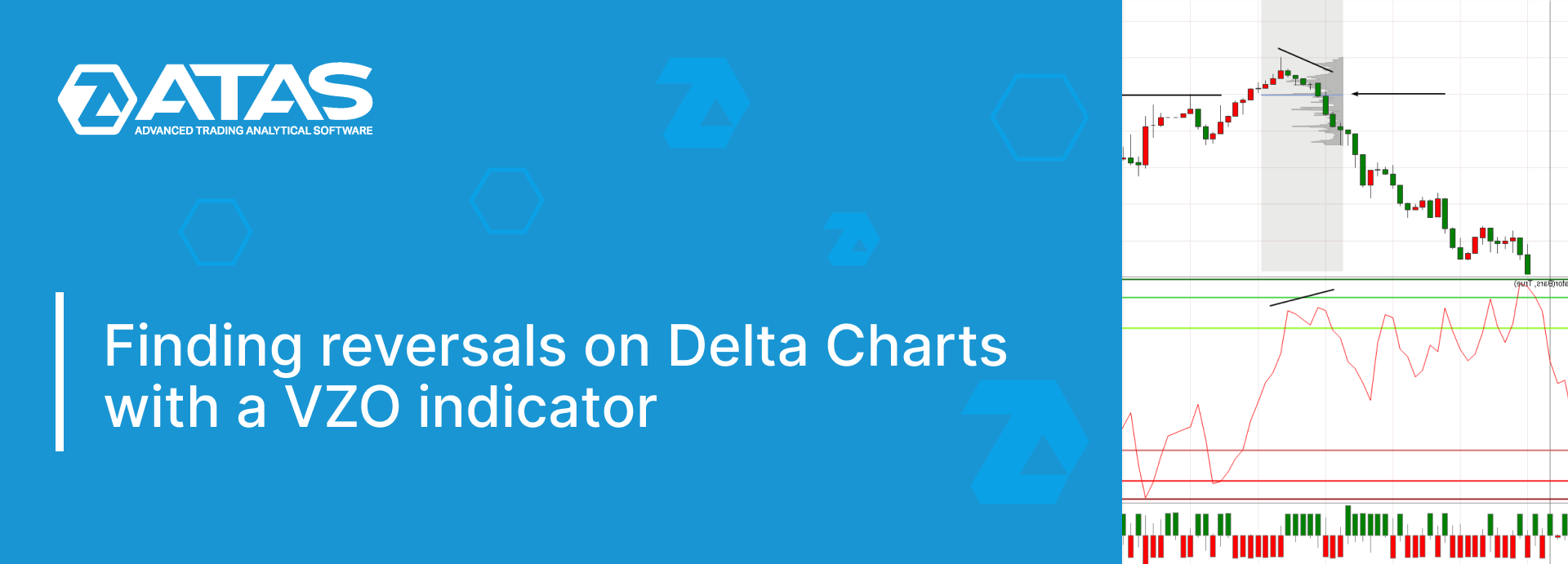
Volume Zone Oscillator (VZO) is one of the tools used for volume analysis. Of course, it is present in the ATAS trading and analytical platform, which specializes in volume analysis.
In this practical article, we will talk about how to use VZO in combination with other platform functionality, and more specifically with Delta-type Charts.
Read ahead:
What is a VZO?
The Volume Zone Oscillator indicator was developed by Walid Khalil and David Steckler. They presented a description of the instrument in the “Technical Analysis of Stocks and Commodity Markets” magazine in May 2011.
For VZO, two EMA moving averages are calculated taking into account the volume – their percentage ratio is the final result.
The Period parameter seems to be the only important setting. All charts in this article use the standard value Period = 10.
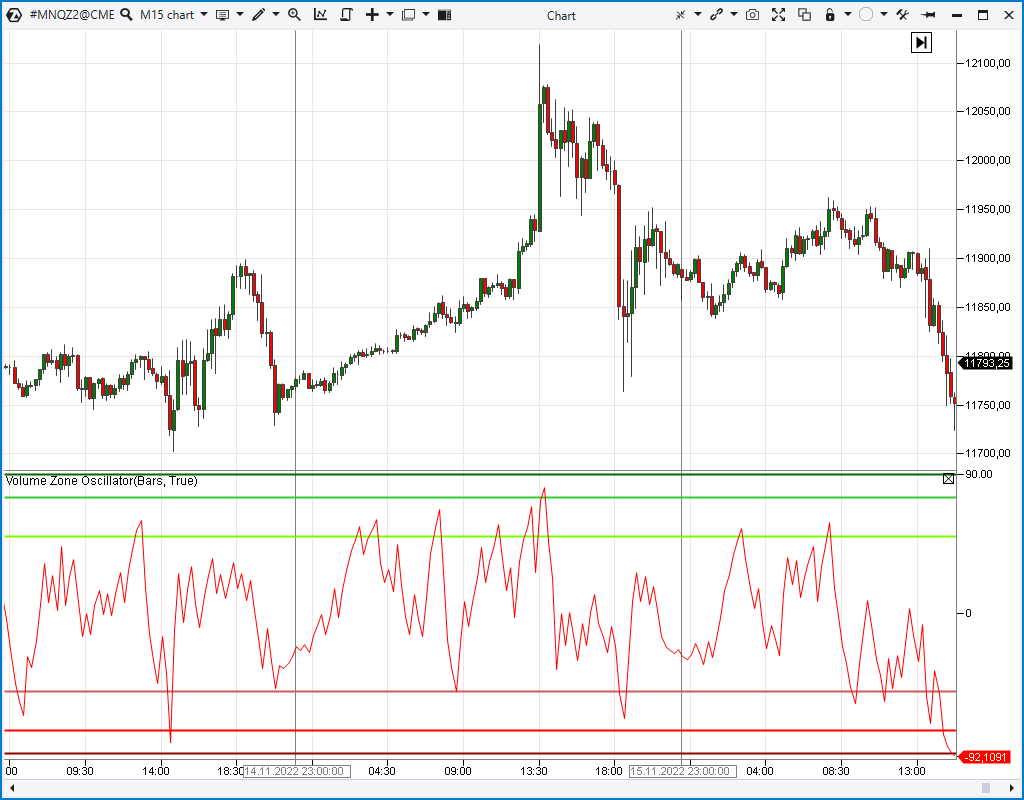
Once you add VZO to the chart, you will see an oscillator below the price area, as well as three red and three green lines.
It is considered that if the indicator fluctuates around zero, the market is in a flat. If the oscillator curve rises and stays above zero, the market is bullish. Likewise, the opposite is true for the bear market judgment.
VZO above the green line is an overbought signal. The higher the oscillator, the more overbought. The lower the VZO falls below the red lines, the stronger the oversold.
Signals for selling are when the oscillator crosses one of the green lines from top to bottom. For purchase – crossing the red line from bottom to top.
Next, we will show you how you can use VZO in other ways.
What is Delta Chart?
Standard charts are built on the basis of equal periods of time (timeframes) – one candle per hour, per 5 minutes, per day.
But other events can be taken as a trigger for opening / closing a candle along the time axis: a certain price action, a volume value.
For example, on the Delta-type Charts, the candle closes when the Delta indicator value reaches a predetermined value.
To appreciate the difference, we have presented the same Euro futures market on the standard 1 hour timeframe and on the Delta Chart = 500:
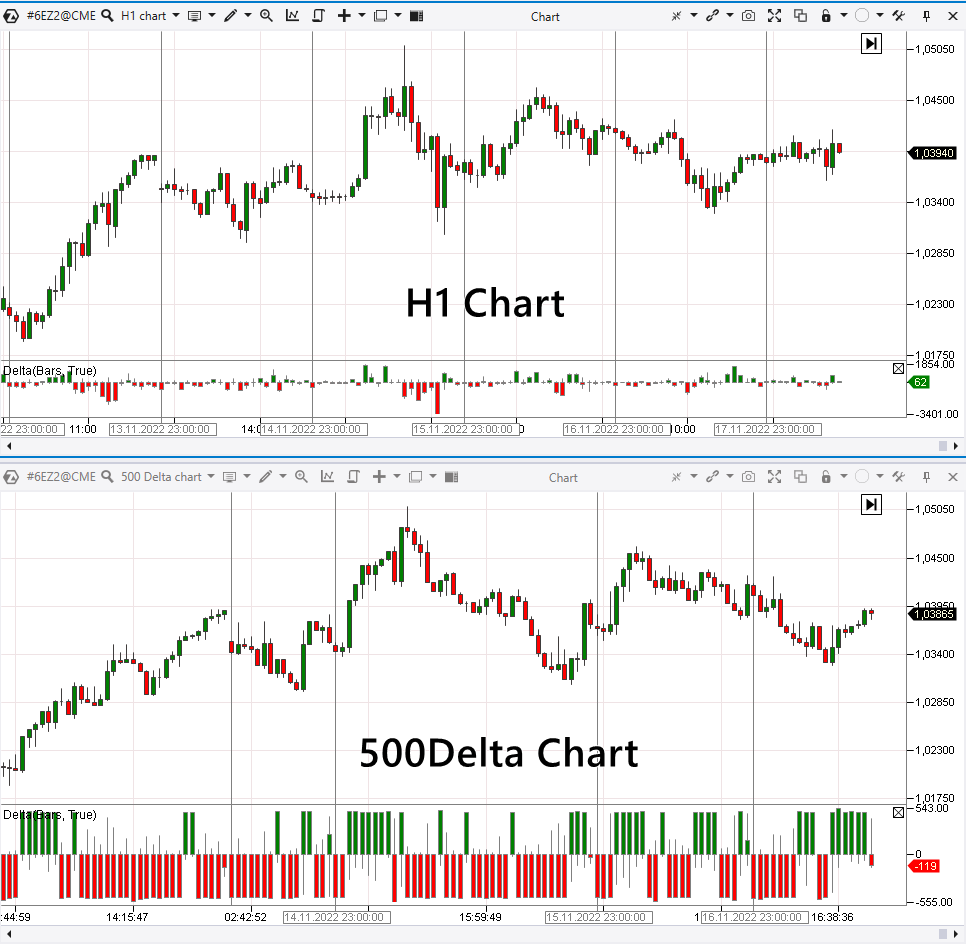
As volatility increases, the day on the Delta Chart “expands”, showing larger moves in greater detail.
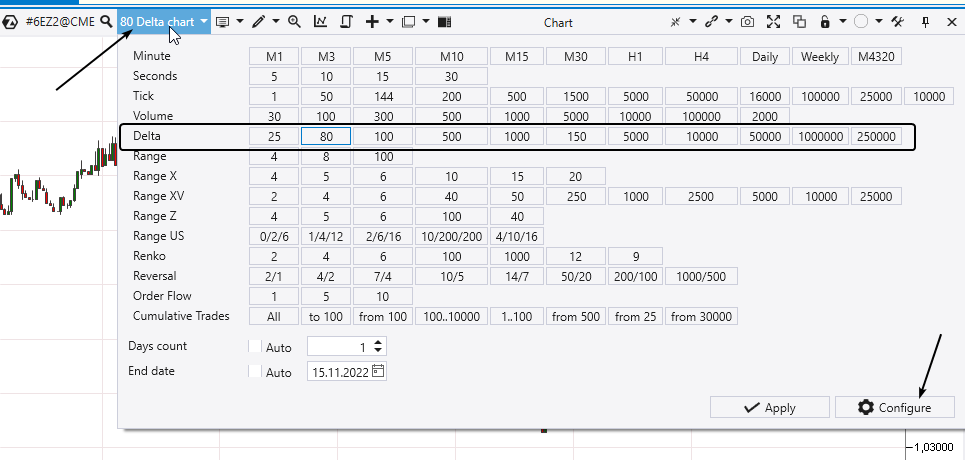
To open and set up a Delta chart, use the following functions:
The idea of finding reversals
The point is to look for price reversals on the Delta Charts using divergences (what are divergences) on the VZO oscillator.
Delta shows the pressure of initiative trades (momentum). And if the initiative weakens, it will most likely lead to the formation of divergences on the VZO. In turn, they will warn of a possible reversal (correction).
Divergence illustration – intraday long and short entry signals in the euro futures market are shown below in the chart:
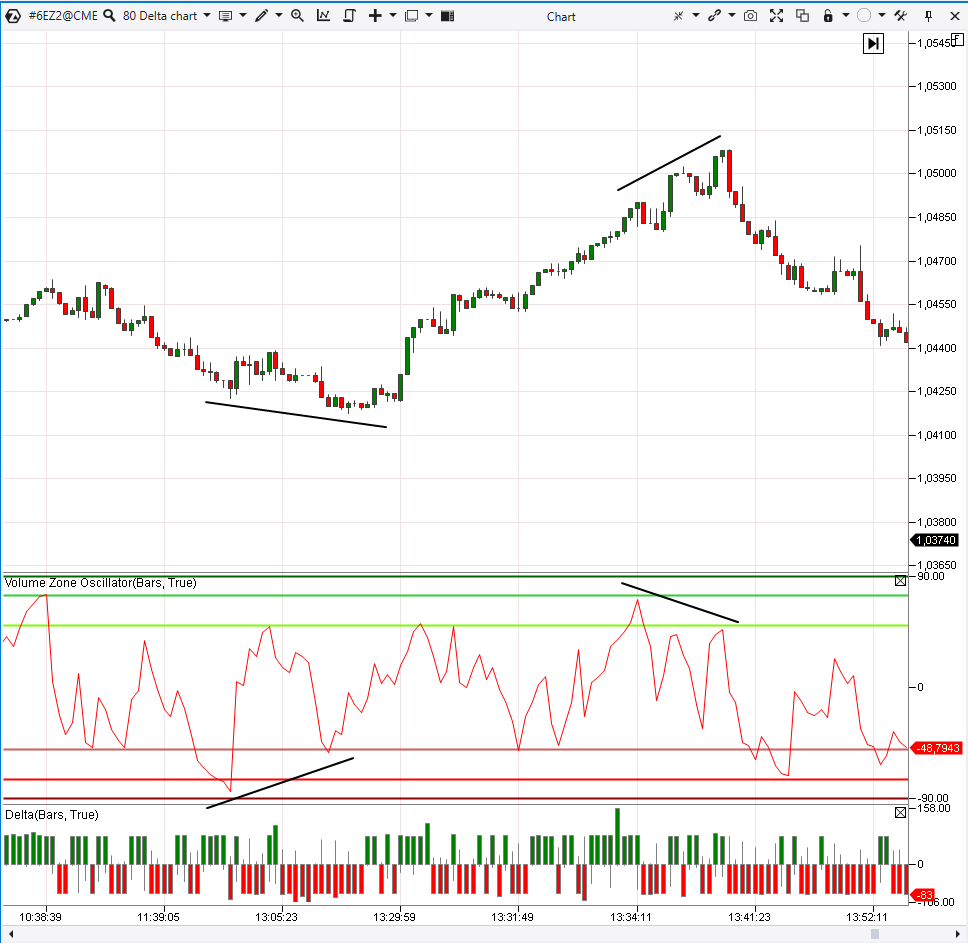
It was the day of the news release. And VZO on the Delta chart showed a signal to enter long ahead of the news. As well as a signal to enter short (closing a long), when the first momentum from the news has worn off.
More examples
6B Market example. The pound futures price has exceeded the round level of 1.2. However, the divergence in the VZO indicator on the Delta chart indicated that the buying momentum in the market was waning. This could be interpreted as the formation of a false breakdown – a “bull trap”.
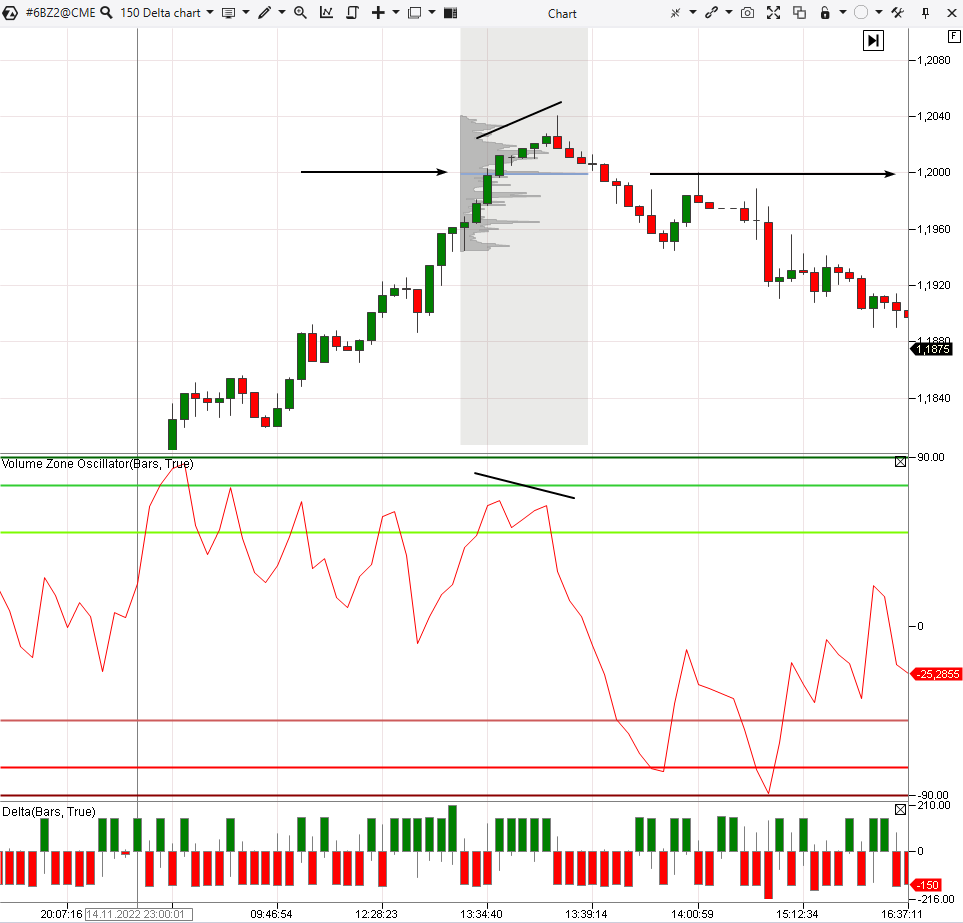
This pattern helped to substantiate the sell entry.
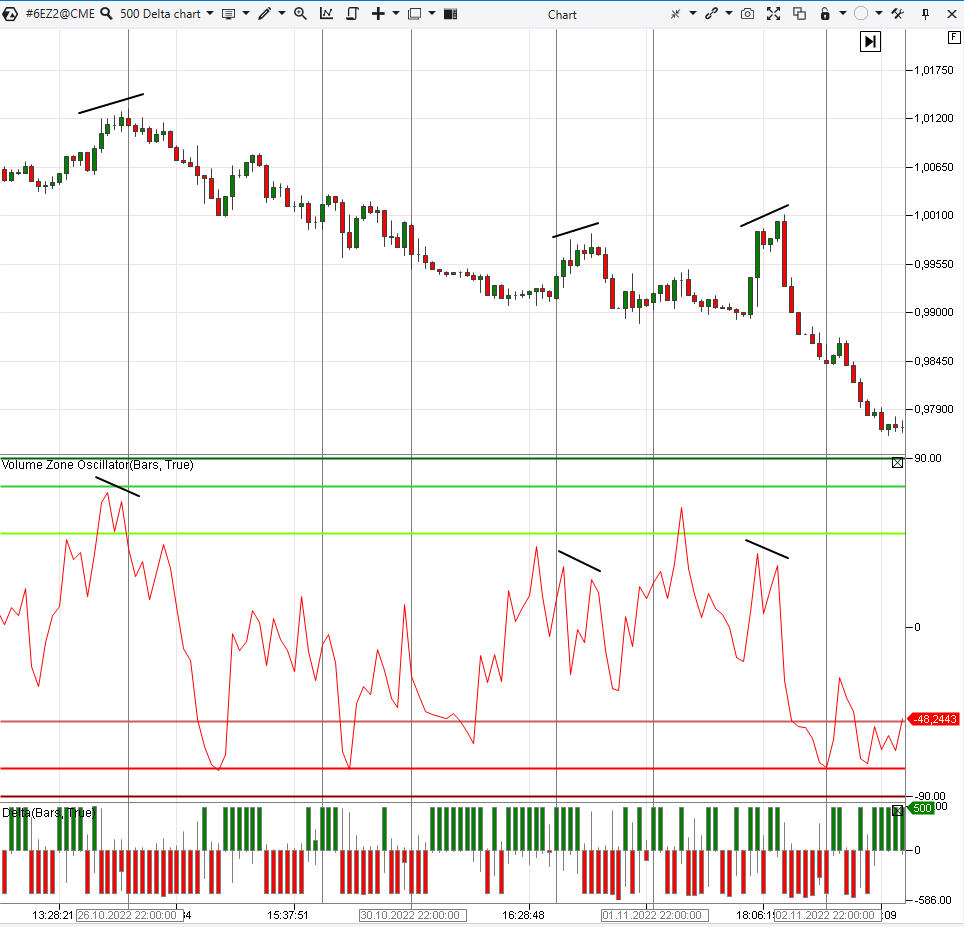
6E Market example. The chart below shows three divergences. One was formed at the beginning of a bearish trend, the next two were formed in its continuation.
You can use the same Delta chart (but more “younger”) in combination with the Dynamic Level Channel indicator to enter a position. Breakdown of the bottom line of the channel indicates a possible trigger to enter the trade (shown by the arrow).
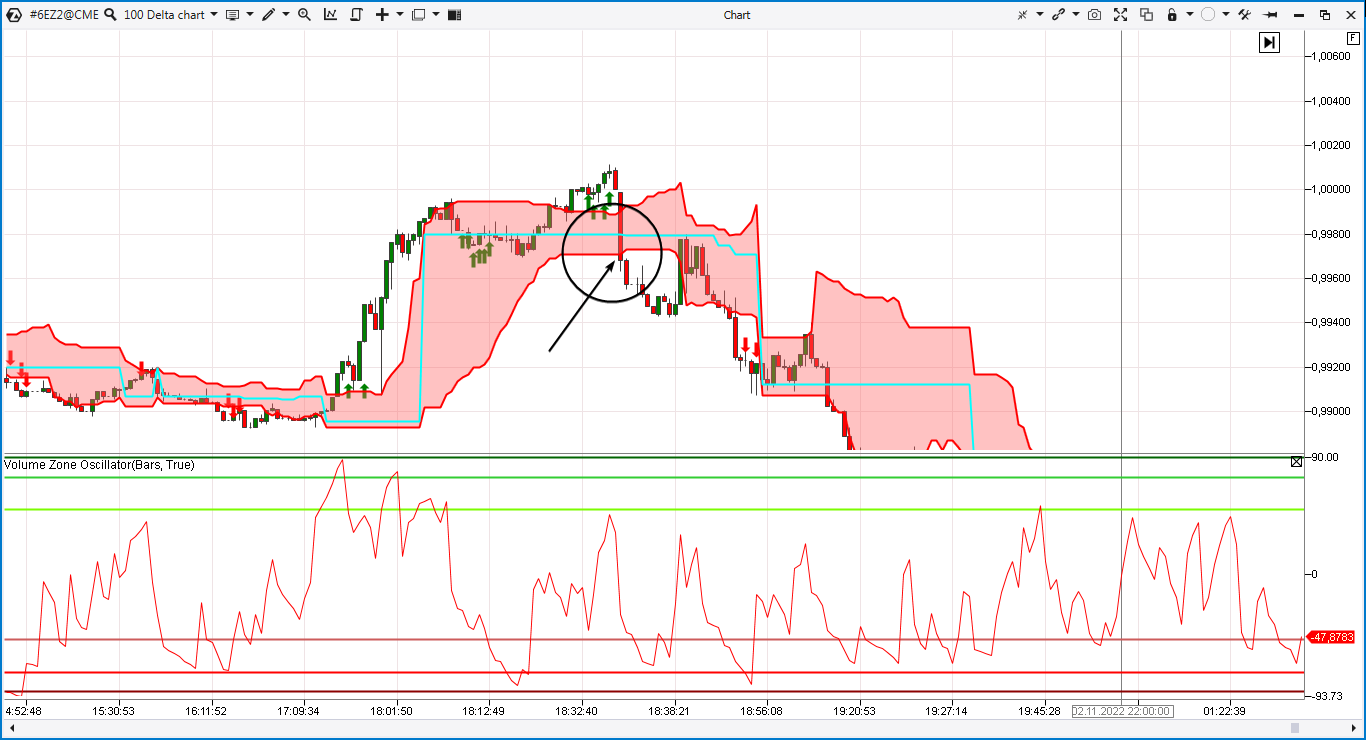
You can search for stop-loss levels based on personal preference and risk tolerance.
NQ Market example. The chart below shows the “exhaustion” of buyers as the price rises to the 11700 level. Traders were unwilling to buy such expensive contracts.
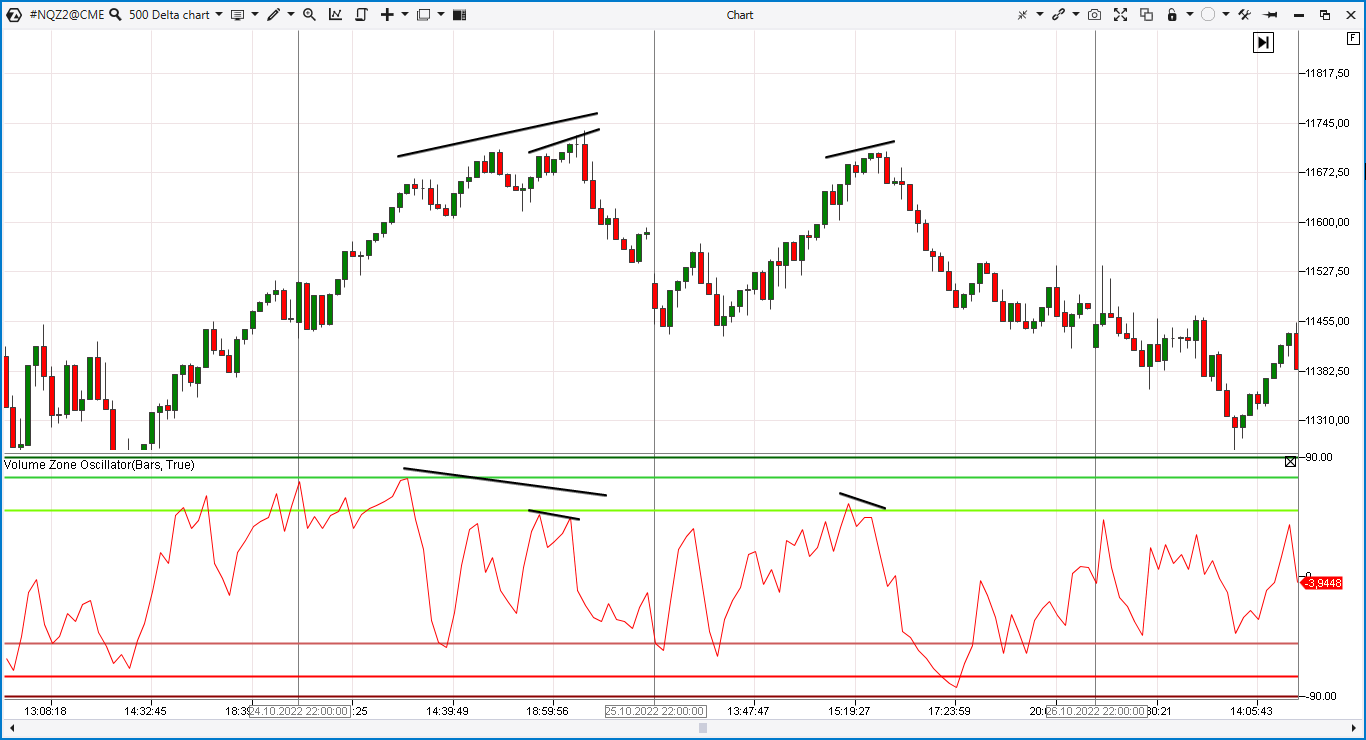
As a result, according to the law of supply and demand, there was a decrease in the market.
Bitcoin market example. The chart below is the 500 Delta Chart from the Bybit exchange. It shows the divergences in the Bitcoin futures market.
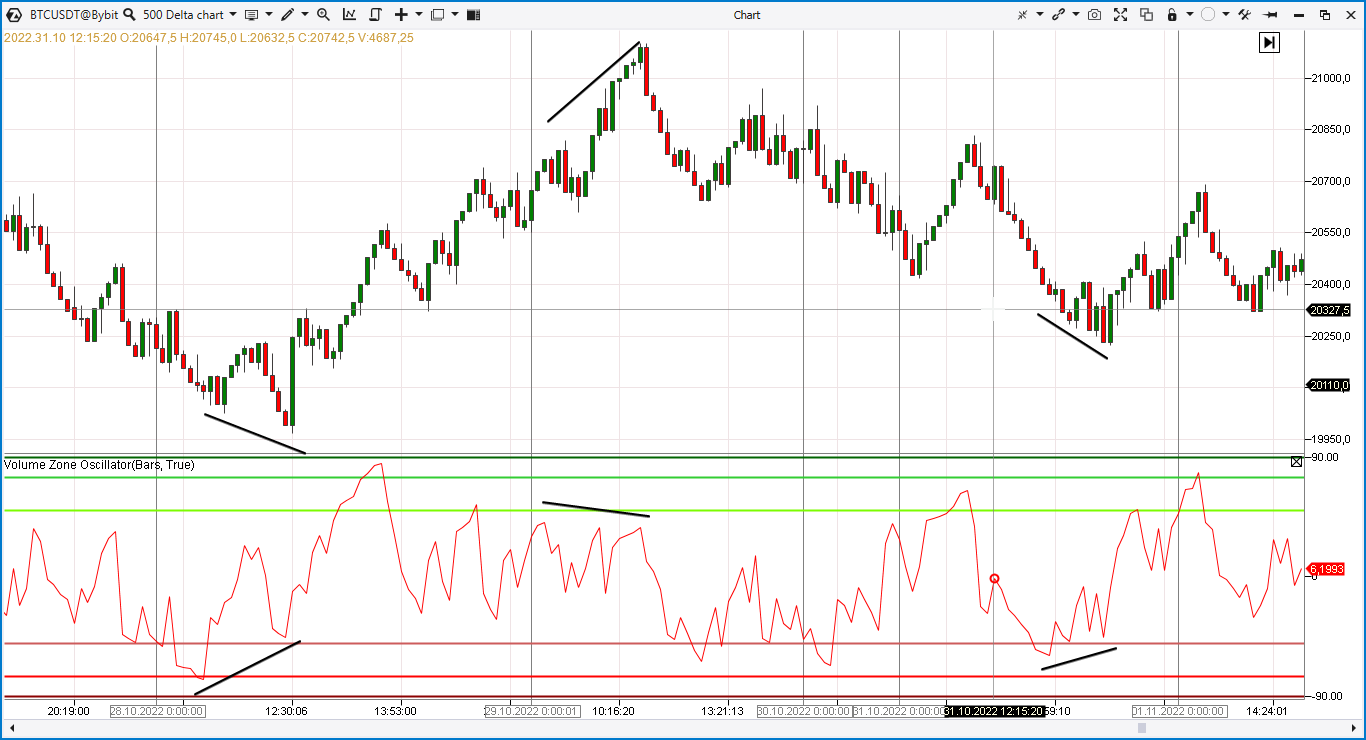
How to get started using VZO divergences on Delta Chart
This idea can hardly be called a full-fledged strategy – it does not set the rules for risk management and does not provide other important details. Nevertheless, it deserves attention. On its basis, you can develop your own strategy or optimize the existing one.
Before risking real money, test ideas on a history simulator or demo account, to verify their effectiveness.
We recommend taking the following plan as a basis:
- Download the ATAS. The platform offers many benefits for futures traders. Find out how to use convenient cluster charts and useful indicators of the ATAS platform.
- Explore the VZO divergence pattern on the Delta Chart in the markets you prefer.
- Practice trading in the ATAS Market Replay.
- Develop a trading plan. Only then switch to a real account using the minimum volumes.
Don’t risk money you can’t afford to lose. The grails don’t exist. Read our blog, subscribe to the Youtube channel — learn how to use the ATAS toolkit to gain a real advantage in the market and develop your own strategy.
Conclusions
This article shows examples of the VZO indicator on Delta charts. This nontrivial combination allows you to receive signals about reversals.
You can keep experimenting:
- use non-standard charts to analyze the market “from different angles” in order to see what most other traders do not see;
- explore the behavior of indicators on non-standard charts.
Use the professional ATAS platform to find signals and trade with them.
Information in this article cannot be perceived as a call for investing or buying/selling of any asset on the exchange. All situations, discussed in the article, are provided with the purpose of getting acquainted with the functionality and advantages of the ATAS platform.