Uncover hidden footprint patterns
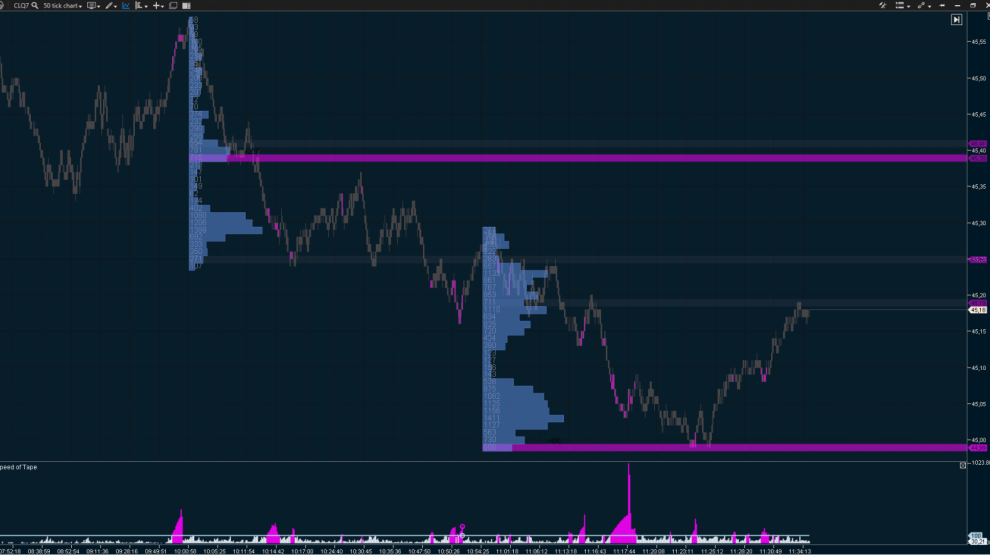
Cluster Search is a powerful tool for identifying cluster patterns, offering a wide range of filters and flexible visualization options:
- highlights key clusters based on criteria such as bids, asks, volume, delta, trade count, and time;
- analyzes market context with filters for buyer-seller imbalances, bar direction, price positioning, and ticks from extremes;
- reveals the true drivers of price movement through delta and imbalance filters;
- adapts to market activity changes throughout the day with time-based filters.
Look inside the candle
Cluster Statistic provides comprehensive insights into the vertical volume structure of each candle:
- percentage breakdown of buys and sells (Bid/Ask);
- volume for a specific candle and the entire trading session;
- duration of the trading session;
- classic delta values;
- percentage of delta and volume for individual candles and the entire session.
Never miss a big trade
Big Trades visually displays aggressive, high-volume trades directly on the chart:
- marks trades from major market participants with a specified capitalization;
- shows the true size of aggregated trades instead of the fragmented prints generated by exchange algorithms;
- automatically adjusts settings to match market conditions;
- adapts to market activity fluctuations throughout the day using time-based filters.
Streamlined visualization of the DOM
Depth of Market gives a clear view of buy and sell orders at each price level, along with their actual volumes:
- monitor real-time market dynamics to make scalping more effective;
- identify key price levels that buyers and sellers consider critical;
- find ideal entry and exit points using real-time support and resistance levels;
- customize the display of cumulative market depth, colors, and scale to fit your trading strategy.
True market power ratio
Volume is a histogram that shows the trading volume for each candle, helping you assess the true balance of power between buyers and sellers:
- in Volume mode, it displays the exact number of contracts traded within a given time frame;
- in Tick mode, it shows the number of trades involving one or more contracts;
- it is presented in an intuitive format with customizable colors, line types, scaling, and volume display directly on the chart, helping you save workspace.
Find out who has the upper hand
Indicators in candlestick, bar, and extreme mode help you quickly see who is leading the market and spot players with different levels of capital:
- Delta shows the difference between market buys and sells. A negative delta means there are more selling initiatives, and vice versa.
- CVD (Cumulative Volume Delta) adds up the negative and positive delta values over a set time period, showing the overall market buy/sell dynamics since the start of the trading session or contract.
- CVD Pro enables you to filter by volume and track the cumulative delta of large or small trades, allowing you to focus on the activity of strong or weak players.
Assess the market imbalance
Stacked Imbalance highlights a clear imbalance between demand and supply:
- helps identify aggressive buyers and sellers;
- used for trend confirmation;
- spots potential areas of interest based on volume differences between buys and sells at adjacent price levels;
- Imbalance Ratio, Range, and Volume settings enable you to define precise imbalance criteria—its absolute and relative magnitude, as well as the number of price levels to analyze;
- automatically creates support and resistance levels, even before the price reaches them.
Volume-Weighted Average Price (VWAP)
VWAP is a technical signal that shows how the current price compares to price trends over the day, week, month, or even year. The indicator displays the same line regardless of the time frame: whether it is a minute chart, hourly, Range Bar, or Renko. VWAP stays consistent across time frames!
- helps identify trends, ranges, and reversals;
- used to find support and resistance levels in real time;
- shows market sentiment across different periods with no data processing delays—VWAP compares current values to those from yesterday, last week, or last month.